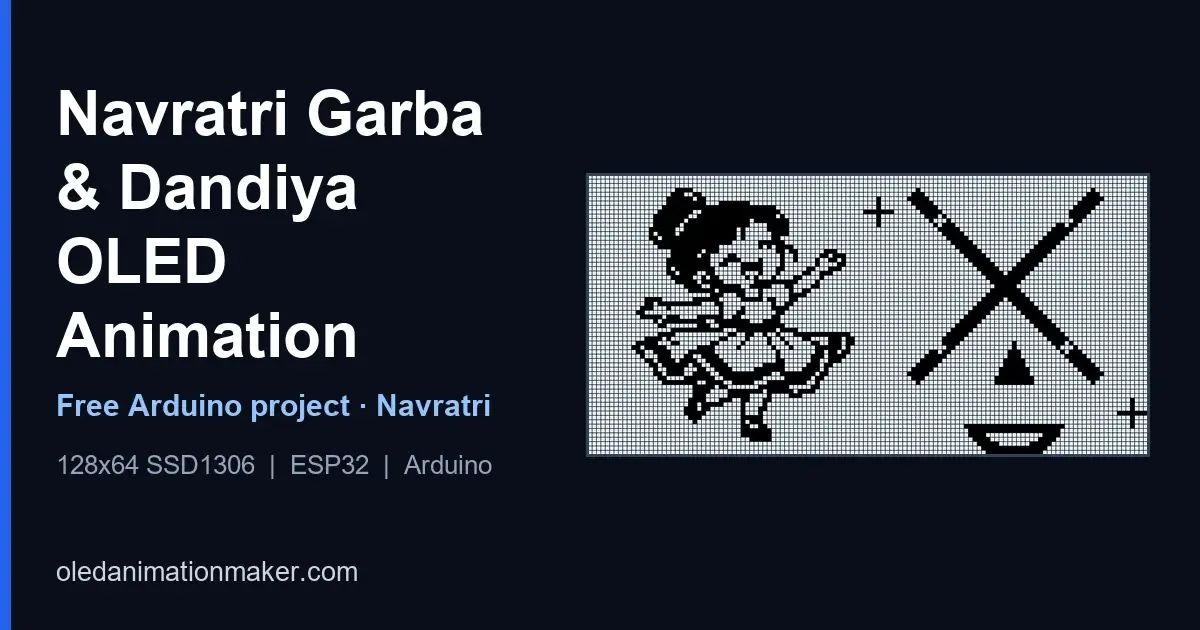
Navratri is the nine-night festival built around the goddess Durga. In Gujarat, and in garba grounds across India and the diaspora, you'll find those nights spent dancing. Garba is the circle dance around a lamp or an image. Dandiya Raas is the paired dance with two short decorated sticks. You'll often see people search the two names together, since both happen on the same floor, often in the same evening, to the dhol.
This project puts that motion on a 0.96" SSD1306. The GitHub sketch itzmeAshish/NavratriGarba stores 390 monochrome frames and draws one every 67 ms. It's a desk piece, a college-fest stall accent, or a classroom demo of bitmap animation. Don't expect a 128×64 panel to light a pandal. It will sit next to your name card and loop while the real dance happens in the room.
⬇ Free download, Navratri Garba OLED code
Full main.ino with all PROGMEM frames · ZIP or git clone
Garba, Dandiya, and what your OLED is actually showing
Garba takes its name from the garbha, the womb, and from the garbo, a perforated clay pot with a lamp inside. Dancers move in rings that widen as more people join. If you've stood in one, you know the feeling. A first-timer can step into a circle without trouble. Once the speed rises, though, the circle starts to look like one organism. Claps mark the beat. The center stays still. The rings turn, and that's what you'll try to catch.
Dandiya comes later on many nights, or on its own stage, and you may have seen it both ways. Each dancer holds two sticks. Partners step toward each other, strike stick to stick in a set order, and turn away. Wood on wood is part of the rhythm, so a silent OLED can only show you the shape of that hit, not the hit itself. Raas is older than the modern Navratri ticketed ground. In Gujarat it sits beside the garba tradition, and you'll hear both names there. Elsewhere in the country, "dandiya night" often means the whole celebration: dress, sticks, the circle and a DJ.
Sharad Navratri is the autumn observance, the one most people mean when they say Navratri in September or October, and that's the one I mean here. Chaitra Navratri is the spring set of nine nights. Dress on a garba ground is its own craft: chaniya choli, kediyu, mirror-work, and sticks wrapped in ribbon or mirror. You won't see any of that color on an SSD1306. The controller is one bit per pixel. What you do get is silhouette, stick angle, and the turn of a circle. That's enough for a 26-second loop you and your visitors will recognize during the festival, and it suits a display that costs less than a plate of snacks at the stall.
I didn't put aarti text, the nine forms or a garba track in the sketch. Those belong in the room, on a speaker you already have rights to use, and in whatever observance your family keeps. That's your call, not mine. The file just loops pictures.
Parts list
- Board: ESP32, or ESP8266 NodeMCU / Wemos D1 Mini with a 4MB flash setting
- Display: 0.96" SSD1306 I2C OLED, 128×64, address
0x3C - 4 Dupont wires (VCC, GND, SDA, SCL) from your drawer
- A USB cable, plus Arduino IDE 1.8 or 2.x on your computer
- Optional: a small USB power bank if your panel sits on a stall table away from a laptop
Connection / wiring
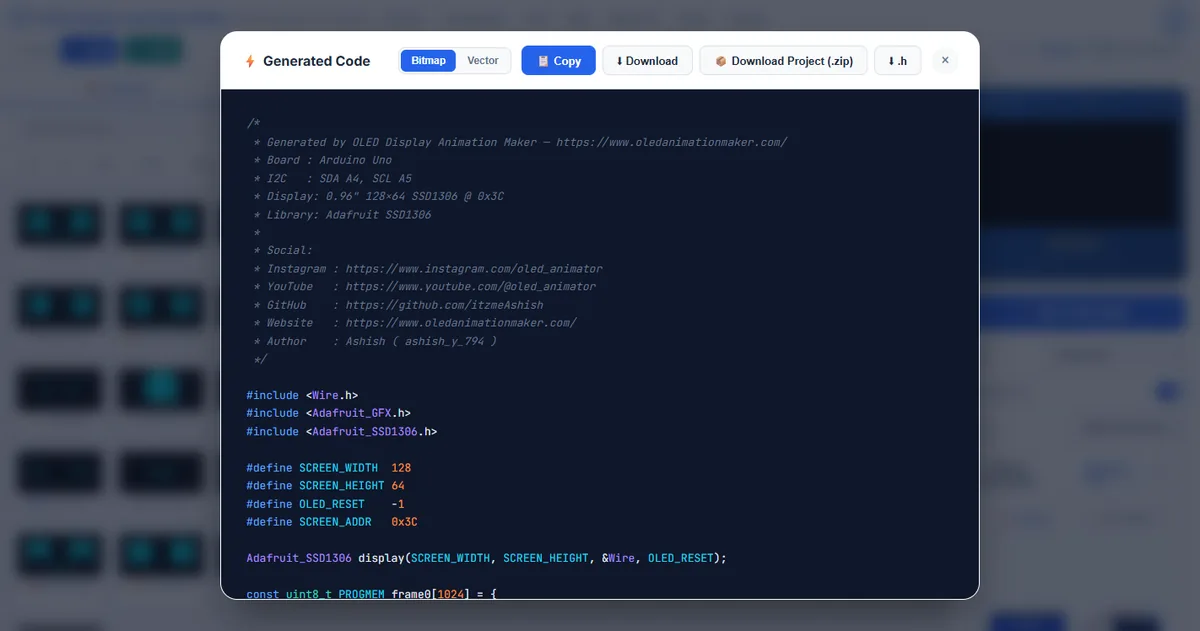
If you open it, the comment at the top of main.ino says "Board: Arduino Uno" and
"SDA A4, SCL A5". That's just the generator's default teaching header. This
particular export is too big for an Uno, so you'll need to wire the board that can store the bitmaps.
| OLED pin | ESP8266 (NodeMCU) | ESP32 | Uno / Nano (too small for this file) |
|---|---|---|---|
| VCC | 3.3V | 3.3V | 5V on many modules, still no room in flash |
| GND | GND | GND | GND |
| SDA | D2 (GPIO4) | GPIO21 | A4 |
| SCL | D1 (GPIO5) | GPIO22 | A5 |
On ESP8266, call Wire.begin(4, 5) before display.begin()
if your glass stays dark after a clean upload. On ESP32 the usual start is
Wire.begin(21, 22). If begin() still fails, try address
0x3D and follow the
blank OLED checklist.
Keep your jumpers short. A long SDA/SCL pair that works on your bench often fails
once you tape the module to a stall board.
Libraries
- In Arduino IDE, open Tools → Manage Libraries
- Install Adafruit SSD1306 first
- Then install Adafruit GFX Library
- Install the ESP32 or ESP8266 board package if your Tools menu has no entry for your module
- On ESP8266, set Flash Size to a 4MB scheme that leaves you at least 1MB for the sketch. A 512KB or 1MB profile rejects a 390 KB bitmap table
How the player works
Each picture is const uint8_t PROGMEM frameN[1024], from
frame0 through frame389. The index and the count are
uint16_t. A uint8_t wraps at 255. This clip has 390
pictures, so an 8-bit counter would restart during the dandiya section and you'd never
reach frame389. loop() steps every 67 ms:
void loop() {
  static uint16_t frameIdx = 0;
  static unsigned long lastMs = 0;
  const uint8_t* frames[] = { frame0, frame1, /* ... */ frame389 };
  const uint16_t numFrames = 390;

  if (millis() - lastMs >= 67) {
    lastMs = millis();
    display.clearDisplay();
    display.drawBitmap(0, 0, frames[frameIdx], 128, 64, SSD1306_WHITE);
    display.display();
    frameIdx = (frameIdx + 1) % numFrames;
  }
}
The pointer list in the published file names every frame from frame0
to frame389. Keep that list the same length as numFrames.
If you set a count of 389, you drop the last bitmap. A count of 391 reads past the table and
you'll see garbage on the panel.
setup() starts Serial at 115200, calls
display.begin(SSD1306_SWITCHCAPVCC, 0x3C), sets rotation 0, and
clears the glass. You won't find Wi-Fi, a button or an audio pin in it. The header
credits the generator at oledanimationmaker.com, and you'll see it in the file. It's only a comment, so it's
never drawn.
Speed table for the 67 ms player
Stock speed is 67 ms, about 14.9 fps. One pass of all 390 frames is 390 × 67 ms = 26.1 seconds when the bus finishes inside that window. Your 128×64 buffer is 1024 bytes. On a 100 kHz I2C bus that transfer takes around 90 ms, so you may time one pass closer to 35 seconds until you raise the clock. At 400 kHz the same buffer is about 25 ms on the wire, and you'll see the 67 ms comparison win.
| Delay in loop() | Asked fps | 390-frame pass if the bus keeps up | When to use it |
|---|---|---|---|
| 67 ms (stock) | ~15 | ~26.1 s | The timing shipped in main.ino. Add Wire.setClock(400000) after the bus starts if your stopwatch reads nearer 35 seconds. |
| 100 ms | 10 | 39 s | Calmer motion that you can still run on a default 100 kHz transfer |
| 150 ms | ~6.7 | ~59 s | Easier for you to film. Stick hits stay readable across a desk |
| 40 ms | 25 | 15.6 s | Only after you set a 400 kHz clock, and only if your stopwatch agrees |
Change only the comparison millis() - lastMs >= 67. Leave
numFrames at 390 when you're only chasing speed, since you'd otherwise lose frames. Time one return
to the opening picture yourself. If you get about 26 seconds, the stock delay is really
running. If you get about 35 seconds, display() is the clock and
67 is only a request.
Why Uno and Mega both refuse these 390 frames
390 × 1024 = 399,360 bytes. That table alone is about twelve times what your Uno can hold in flash and about one and a half times a Mega 2560's 256 KB. If you slow the 67 ms step, you won't shrink the binary. You'll get the linker error "sketch too big," and it shows up before the OLED ever lights.
Here's how the festival posts on this site split.
Ganesha Day 7
is 150 frames, about 150 KB, which a Mega can hold.
Kalayani
is 148 frames at a much slower 318 ms step.
Bad Apple
is the closest cousin: 385 frames, the same 67 ms player, and the same
ESP32 or 4MB ESP8266 requirement. Navratri Garba is five frames longer than
the Bad Apple export I covered and uses the same uint16_t index for the
same reason.
Your ESP32 has room. A 4MB ESP8266 has room if Tools gives the sketch the space
instead of a huge filesystem. A 1MB ESP8266 profile with a large LittleFS slice
can fail even though 390 KB looks smaller than 1MB on paper. If you only
own an Uno, reopen the clip in
OLED Animation Maker, cut the
frame count to a range your board can store, and export again. Don't delete random
frameN arrays without rebuilding the pointer list and
numFrames together, or the player crashes. The
PROGMEM limits guide
shows how many 1024-byte frames a small board can hold.
Upload & run
- Open itzmeAshish/NavratriGarba and download the ZIP, or run
git clone https://github.com/itzmeAshish/NavratriGarba.git - The sketch file is
main.ino. GitHub's ZIP folder is oftenNavratriGarba-main. Rename that folder tomain, then open the.inofrom inside it. Arduino IDE matches the folder name to the file name, so you can't skip this - Install Adafruit GFX and Adafruit SSD1306 if you haven't already
- Pick ESP32, or ESP8266 with a 4MB flash size, and choose the port that appears when you plug your board in
- Click Upload. The file is about 2.5 MB of source, so you'll wait longer than you would for a blink sketch
- Open Serial at 115200. If you see
SSD1306 allocation failed, the chip never answered: power, SDA/SCL, or0x3Cversus0x3D
Ready to flash?
Grab the complete Navratri Garba main.ino from GitHub and try it yourself.
Using it on a Navratri stall or a desk
A 0.96" module is a close-up object. Put it at eye level on the registration table where you can see it, next to a printed "Garba night" card, not on the far side of a hall where you'd lose it. The glass is reflective, and you'll notice it fast. A lamp behind your camera, or a tube light directly above the module, turns the cover into a mirror and hides the pixels. Angle your board a few degrees toward whoever's standing at the table.
The sketch never starts Wi-Fi, so your board stays in a tight draw loop. A small USB power bank is enough for an evening at a college fest, as long as you aren't also charging phones from the same pack. Tape your wires so a sleeve can't pull SDA loose when someone leans in for a photo. Film the glass, not the GitHub page. I'd record at least 30 seconds so one 26-second pass completes on camera. A 10-second clip only proves the opening frames, and you want more than that.
Sound is a separate device. You won't find an amplifier or a file player in this repository.
If your stall plays garba tracks, use a speaker and music you have the right to
play. Don't paste an MP3 into main.ino. The player never opens a file.
Make your own festival loop
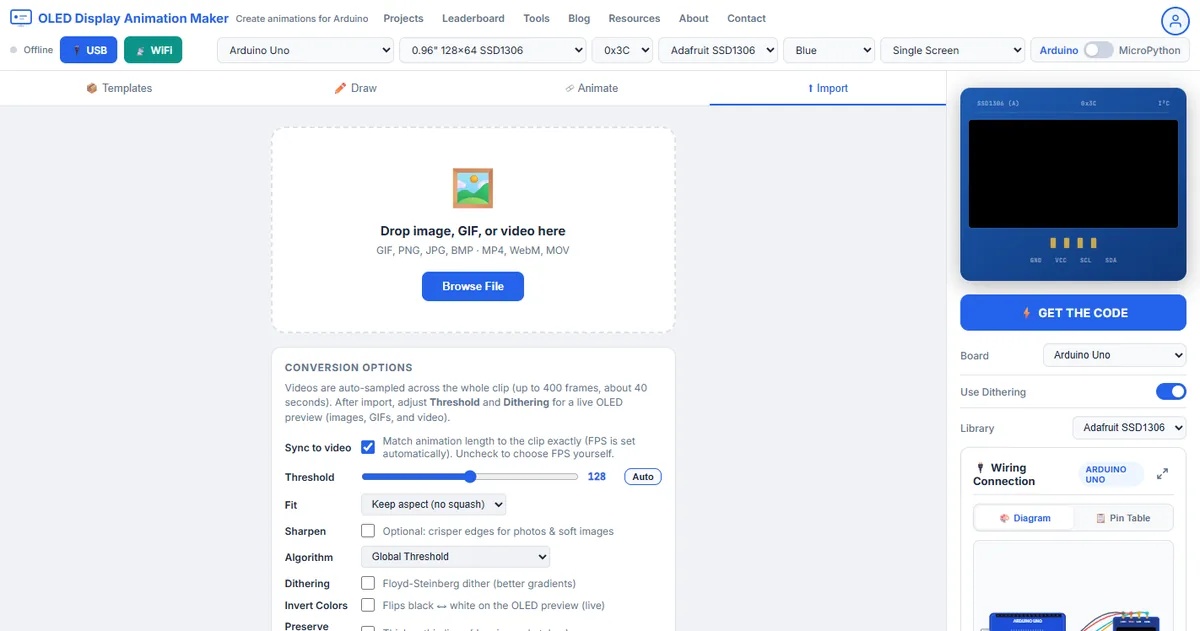
I exported Navratri Garba from oledanimationmaker.com. You can do the same:
- Open the free tool in Chrome or Edge
- Go to Import and drop in a short clip you have the right to convert
- Keep the canvas at 128×64 and tune the frame count for the board you own, as I did here
- Click Get the Code and choose Adafruit SSD1306 Arduino
- Rename your sketch folder so it matches the
.inofile, then upload
If you want a similar guide, try GIF to OLED, video to OLED, Independence Day OLED (a drawn flag-and-fireworks show, a different kind of festival sketch), or SSD1306 animation basics.
Compile errors, in the order they usually appear
- The folder is named NavratriGarba-main. The IDE offers to move the sketch. Rename your folder to
mainand openmain.inoagain. This file ismain.ino, the same layout as the Bad Apple repo, and a different layout from Kalayani'scode.ino. - Adafruit_SSD1306.h: No such file. Install Adafruit SSD1306 from Library Manager and accept the GFX dependency when it asks you.
- Sketch too big. Your board is an Uno, Nano, Mega, or a small ESP8266 flash scheme. Switch to ESP32 or a 4MB ESP8266 scheme. The OLED isn't involved yet.
- Upload failed or wrong chip id. Close Serial Monitor, pick the port that appears when you plug the cable in, and match the board package to the chip. An ESP8266 package pointed at an ESP32 fails here even when your wires are correct.
- Done uploading, then SSD1306 allocation failed. The binary fits, so I'd look at wiring next. The panel didn't answer on I2C. Check your 3.3V, GND, SDA and SCL, then try
0x3D. - The loop jumps backward before the dance finishes. Something changed
frameIdxtouint8_t. You'll want to putuint16_tback. 390 doesn't fit in 8 bits.
FAQ
Is the Navratri Garba OLED code free?
Yes, github.com/itzmeAshish/NavratriGarba. Clone it or download the ZIP. The tutorial you're reading is my long-form version of the same project.
Does it play garba or dandiya audio?
No, it draws pictures. Pair a speaker if your table needs the dhol, since the sketch can't play audio. The OLED
loop and the track won't lock together, because nothing in main.ino
reads an audio clock.
Can I show a different Navratri clip?
Yes. Import a short GIF or video you can legally convert into OLED Animation Maker and export a new sketch. Keep the frame count inside the flash of the board you've got on the table, so you don't hit the same wall I describe above.
Will a slower delay make a Mega fit?
No, a slower delay won't help you. The delay only changes timing. The 390 KB of bitmaps stay in flash at any frame rate, and a Mega 2560 tops out at 256 KB. Use ESP32, a 4MB ESP8266, or a much shorter export. That's what I'd do in your place.
Build your next festival loop yourself
You get a pixel editor, GIF import, WebSerial live preview, and Arduino and MicroPython export, free in your browser.
Open OLED Animation Maker →What main.ino holds
The repository is one Adafruit sketch. It isn't a library and it doesn't read
a GIF at runtime, so what you flash is what you get. Everything the OLED will show is already compiled in:
frame0 through frame389, each
const uint8_t PROGMEM and each exactly 1024 bytes. You won't need to touch them. A pointer table
inside loop() lists those arrays in order. The author credit in the
file is Ashish (ashish_y_794), with links back to this site.
Arduino IDE wants the folder name to match the file. After you unzip, name the folder
main. If you leave it as NavratriGarba or
NavratriGarba-main, the IDE usually asks to move the
sketch or creates a second copy. Don't rename the file to code.ino
unless you also rename the folder to code. Kalayani uses that other
layout. This one doesn't, so you can follow whichever repo you're opening.
A recording that shows the loop honestly
Fill the phone frame with the glass. Kill the light behind you so the cover doesn't mirror the room. You'll thank yourself later. OLED pixels are either lit or dark. If you shoot the whole bench, 128 columns look like dust and a garba circle becomes a smudge.
I'd call one honest take about half a minute: the picture changes, returns to the
opening frame, and continues. If the motion looks slower than 15 fps, measure
the pass before you edit the delay. A 35-second cycle on a default I2C clock is
the transfer time described above, and Wire.setClock(400000) is the
first change I'd try. A frozen first frame means begin() failed or
the upload never reached loop(), so check that first.
Navratri bench questions
I cloned NavratriGarba and the IDE complains about the sketch name. What folder do I use?
The file is main.ino, so you need to name your folder main. GitHub ZIP downloads often arrive as NavratriGarba-main. Rename that folder, then open the file from inside it. It's an easy fix.
The comment says Arduino Uno. Can I ignore the ESP32 advice?
No, don't ignore it. The comment is the generator header (SDA A4, SCL A5, address 0x3C). The bitmap table is 390 KB, so an Uno and a Mega both fail at link time. Wire an ESP32 or a 4MB ESP8266 and select that board in Tools. I'd do that before anything else.
How do I know the 67 ms loop is actually running?
Time one pass with a watch. Going from the first picture back to the same picture should take about 26 seconds if your bus is at 400 kHz, or closer to 35 seconds on a default 100 kHz clock. If the first frame stays frozen, check upload, power, or begin() failing before loop() draws.
Is this the same project as Ganesha Day 7?
It's a sibling, and you can use either one. Both are Navratri-season festival loops on a 128×64 SSD1306, and both are free Adafruit sketches. Ganesha Day 7 is a 150-frame Ganpati loop. This one is a 390-frame Garba and Dandiya loop and you'll need a larger board.
Related posts
Free tools: OLED Animation Maker for SSD1306 and SH1106 animations, Assemble Studio for name and logo animations, and the Shadow Box Lamp Generator for 3D-printed shadow lamps. See all tools.