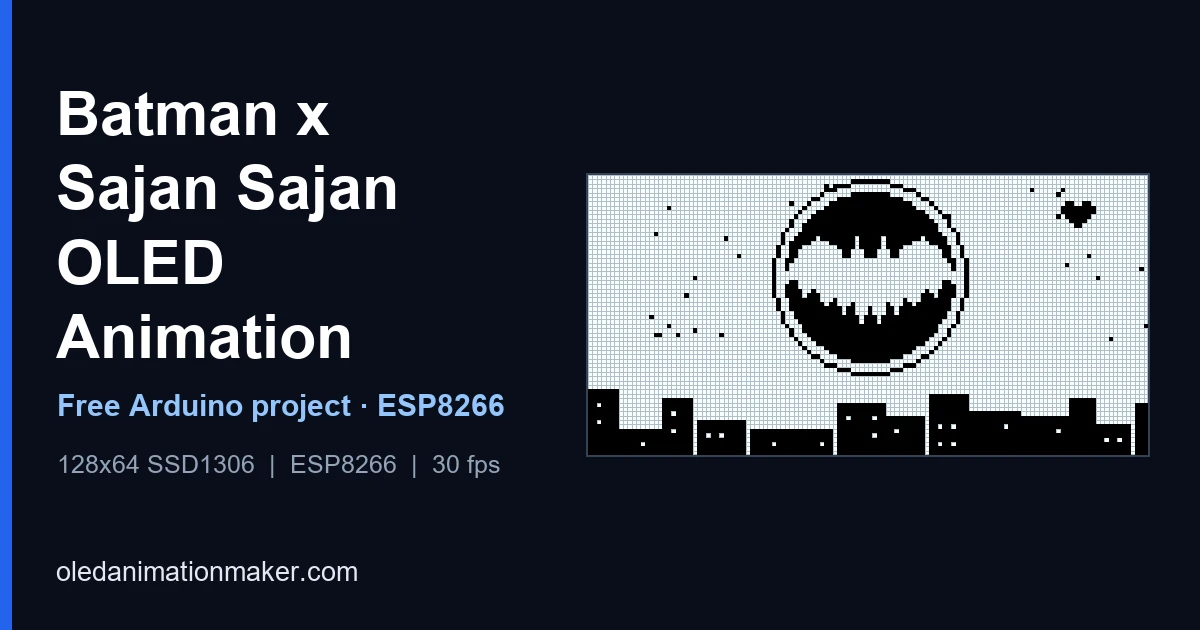
Want the Batman x Sajan Sajan edit on a tiny 0.96" SSD1306 OLED? This project plays a full 768-frame 1-bit video at a target of 30 fps from flash. The cover art above is an illustration drawn on the same 128×64 pixel grid. The real frames in the sketch are dithered video, so they look grainier than this. It's the same idea as the original Sajan Sajan OLED loop, but this time it's the Batman version that people keep sending each other.
What is the Batman x Sajan Sajan trend?
Sajan Sajan Teri Dulhan Tujhko Pukare Aaja is a Hindi song sung by Alka Yagnik from the 1999 film Aarzoo. In recent weeks, fan editors have been cutting dark, slow Batman footage to a remix of it, and the contrast between a brooding vigilante and a wedding-season melody is exactly why it spreads. You'll find versions built from The Batman and from the Dark Knight trilogy, and the same format has been used for other characters too. I can't tell you who made the first one, and I'm not going to guess.
This repo takes one such Batman edit and turns it into frames your SSD1306 can play. The Batman character and the film footage belong to their respective owners, so treat this as a fan tribute and only convert clips you have the right to use.
⬇ Free download, Batman x Sajan Sajan OLED code
You get OLEDVideo_Video_87597.ino and frames.h with all 768 frames · ZIP or git clone
How to use it
You need a 4MB ESP8266 (NodeMCU or Wemos D1 Mini), a 0.96" SSD1306 I2C OLED, four jumper wires and a USB data cable. The 768 frames take 768 KB of flash, so Uno, Nano and Mega can't hold this one.
- Download and extract
Open github.com/itzmeAshish/SajanSajanBatmanVersion, click Code → Download ZIP and extract it. You get a folder called
SajanSajanBatmanVersion-main. - Rename the folder
Open it and you'll find a folder called
oledanimationmakerBatmanwithOLEDVideo_Video_87597.inoandframes.hinside. Rename that inner folder toOLEDVideo_Video_87597and keepframes.hnext to the.ino. - Prepare Arduino IDE (first time only) Add the ESP8266 board package and install Adafruit SSD1306 and Adafruit GFX. The exact clicks, including the board-manager link the ESP8266 needs, are in step 4 of the upload guide.
- Wire it VCC to 3V3, GND to GND, SCL to D1 and SDA to D2, as in the diagram below.
- Upload
Open
OLEDVideo_Video_87597.ino, choose NodeMCU 1.0 and a 4MB flash size, pick the port and click Upload (the first compile is slow becauseframes.his about 5 MB). Then open the Serial Monitor at 115200.
Built and tested on ESP8266. New to this, or did something go wrong? The step-by-step upload guide has the full walkthrough and a troubleshooting table. Want it on a different board? Generate code for it on OLED Animation Maker.
Wiring diagram
How the 30 fps player works
All frames live in frames.h as const unsigned char frame_000[] PROGMEM through frame_767, plus a table called video_frames. The sketch draws each one, then waits out the rest of a 33,333 µs frame period:
for (int i = 0; i < frame_limit; i++) {
  uint32_t frame_start_us = micros();

  display.clearDisplay();
  display.drawBitmap(0, 0, video_frames[i], SCREEN_WIDTH, SCREEN_HEIGHT, SSD1306_WHITE);
  display.display();

  yield();  // keeps the ESP8266 watchdog happy

  uint32_t elapsed_us = micros() - frame_start_us;
  if (elapsed_us < FRAME_PERIOD_US) delayMicroseconds(FRAME_PERIOD_US - elapsed_us);
}
At 30 fps, 768 frames last 25.6 seconds, then the loop restarts. The player also sets I2C to 400000 Hz in setup(), which matters: at 100 kHz one 1024-byte frame can't be sent fast enough for 30 fps.
Speed, FPS and test mode
The default is #define TARGET_FPS 30 near the top of frames.h. Change that one number to speed up or slow down the video.
| TARGET_FPS | Frame period | 768-frame loop |
|---|---|---|
| 15 | 66.7 ms | 51.2 s |
| 24 | 41.7 ms | 32 s |
| 30 (stock) | 33.3 ms | 25.6 s |
Want a quick check before the long run? Set #define TEST_MODE true and the sketch plays only the first 24 frames, about one second of video. The Serial monitor prints the render time and the real FPS once a second, so you can see whether your bus keeps up with 30 fps.
768 KB of frames: the flash math
768 frames × 1024 bytes = 786,432 bytes, which is 768 KB before the ESP8266 core and the Adafruit libraries are added. That puts the sketch near the roughly 1 MB limit of the common 4MB flash layouts. If the IDE says the sketch is too big, pick a 4MB layout with a larger sketch partition, or re-export fewer frames. Slowing the FPS doesn't shrink the binary, only fewer frames do.
Make your own OLED video
Import a short clip you have the right to use into OLED Animation Maker, keep it at 128×64, raise the contrast (dark footage turns into a black screen in 1-bit) and export. You can preview the result in the online simulator first. See Video to OLED for the full conversion workflow.
Filming it for a reel
Fill the frame with the 0.96" glass and kill any light that reflects in it. Dark footage plus a bright room makes the panel look dead, so shade it. Record at least 30 seconds so one full 25.6 second pass completes. The sketch has no speaker, so play the song from your phone and film both. Don't expect perfect sync: the loop isn't clock-locked to any recording.
How 1-bit video conversion works (and why dark clips fail)
An SSD1306 pixel is either on or off, so every video frame has to be reduced to pure black and white. There are three common ways to do that, and they give very different results:
| Method | What it does | Looks like |
|---|---|---|
| Threshold | Anything brighter than a cut-off becomes white, the rest black | Hard, graphic shapes with no mid-tones. Great for silhouettes and text |
| Error diffusion (Floyd–Steinberg) | Pushes each pixel's rounding error onto its neighbours | Fine grain that suggests grey. Looks photographic, but a bit noisy when it moves |
| Ordered (Bayer) dithering | Compares pixels against a fixed repeating pattern | A regular cross-hatch texture. Stable between frames |
Batman footage is a tough case, because it's dark on purpose. A frame that's 80% shadow turns into an almost black screen once it's reduced to 1 bit, and you lose the picture. That's why this loop leans on the scenes where the cowl is a silhouette against a lighter background. If you make your own, these steps help a lot:
- Raise brightness and contrast before converting, or lower the threshold, so the shapes you care about land on the white side.
- Crop to 2:1 (the OLED's 128×64 shape) so nothing is stretched.
- Pick shots with a strong silhouette and a plain background. Small detail and text don't survive 8,192 pixels.
- Avoid fast cuts. At 30 fps a hard cut looks like a flash of noise.
- Try both dithering styles on your clip. Diffusion is better for faces, ordered dithering is steadier for motion.
The I2C time budget at 30 fps
A 30 fps target gives every frame 33.3 ms. The slowest step is sending the 1,024-byte frame to the screen over I2C. Each byte takes 9 clock cycles (8 bits plus the acknowledge bit), so the best-case transfer time is 1,024 × 9 ÷ clock speed. These are theoretical limits, before the library's own addressing overhead:
| I2C clock | Time for one frame | Max fps (theoretical) |
|---|---|---|
| 100 kHz (default) | ≈ 92 ms | ≈ 10.8 |
| 400 kHz (this sketch) | ≈ 23 ms | ≈ 43 |
| 1 MHz (not every module copes) | ≈ 9 ms | ≈ 108 |
That's why the sketch calls Wire.setClock(400000): at the default speed, 30 fps is impossible, and at 400 kHz you have about 10 ms to spare. The ESP8266 core drives I2C in software, so its real speed also depends on the CPU clock. Setting Tools → CPU Frequency → 160 MHz often gets you closer to the speed you asked for.
Reading the Serial FPS readout
Once a second the sketch prints a line with the current frame, the render time for the last frame and the measured frame rate. Here's how to read it:
| What you see | What it means |
|---|---|
| Render Time under about 30 ms and Actual FPS near 30 | The bus keeps up. Nothing to do |
| Render Time above 33 ms and FPS well below 30 | The transfer is the bottleneck. Check the 400 kHz setting, shorten the wires or lower TARGET_FPS |
| Frame counter jumps back to 1 at 768 | That's the normal loop restart |
| Repeated resets, a stack trace or a WDT message | Something blocks for too long. Keep yield() in the loop |
Cut the flash use in half
768 frames is a lot of flash. If your board is struggling, you can keep every second frame and play at 15 fps: the clip still lasts 25.6 seconds, but the bitmaps shrink from 768 KB to 384 KB. This script does it for you. It reads frames.h, keeps every Nth frame and writes a new, smaller header. I ran it on this project's real frames.h and it turned 768 frames into 384 with a matching TARGET_FPS:
# thin_frames.py - keep every Nth frame of a frames.h and write a smaller one.
# usage: python thin_frames.py frames.h frames_half.h 2
import re, sys

src, dst, step = sys.argv[1], sys.argv[2], int(sys.argv[3])
text = open(src, encoding="utf-8", errors="ignore").read()

# every array looks like:  const unsigned char frame_000[] PROGMEM = { ... };
blocks = re.findall(r"const unsigned char frame_\d+\[\] PROGMEM = \{(.*?)\};", text, re.S)
kept = blocks[::step]
fps = max(1, round(30 / step))          # keep playback speed natural

out = ["#ifndef FRAMES_H", "#define FRAMES_H", "", "#include <pgmspace.h>", "",
       f"#define TOTAL_FRAMES {len(kept)}", f"#define TARGET_FPS {fps}", "#define TEST_FRAMES 24", ""]
for i, body in enumerate(kept):
    out.append(f"const unsigned char frame_{i:03d}[] PROGMEM = {{{body}}};\n")
out.append("const unsigned char* const video_frames[] PROGMEM = {")
out.append(",\n".join(f"    frame_{i:03d}" for i in range(len(kept))))
out.append("};\n\n#endif // FRAMES_H")
open(dst, "w", encoding="utf-8").write("\n".join(out))
print(f"{len(blocks)} frames -> {len(kept)} frames, TARGET_FPS {fps}, {len(kept)} KB of bitmaps")
Run it with a step of 2 for 384 frames at 15 fps, or 3 for 256 frames at 10 fps. Back up the original frames.h first, then replace it with the new file. The picture gets choppier, but a dithered video is surprisingly forgiving.
A simple test workflow
- Set
#define TEST_MODE trueand upload. Only the first 24 frames (about one second) play, so you can check the wiring fast. - Confirm the picture is correct and not mirrored. If it's upside down, add
display.setRotation(2);afterdisplay.begin(). - Open Serial at 115200 and watch the FPS line for ten seconds.
- Set
TEST_MODEback tofalseand upload the full video. - Let it run through two full loops before you trust it.
Where to get footage you can use
The safest clips are ones you filmed yourself. After that, look for public-domain or CC0 footage (for example on Wikimedia Commons or in the Internet Archive's public-domain collections) and stock sites whose license explicitly allows changing and sharing the clip. A 1-bit conversion is still a copy of the original, so a movie scene doesn't become free just because it got small. If you make a fan edit like this one for yourself, keep it personal and don't redistribute footage you don't own.
If something goes wrong
- The IDE says the sketch name doesn't match. Rename the inner folder to
OLEDVideo_Video_87597. - The sketch is too big. Pick a 4MB layout with a bigger sketch area, or run
thin_frames.pyabove to halve the frames. - FPS stays below 30. Check the Serial readout, keep the wires short and try the 160 MHz CPU setting.
- Repeated resets. Keep the
yield()call in the loop. It feeds the watchdog. - Anything else (blank screen, upload errors): see the troubleshooting table in the upload guide.
FAQ
Who sang Sajan Sajan Teri Dulhan?
Alka Yagnik, with music by Anu Malik and lyrics by Anand Bakshi, for the 1999 film Aarzoo. The Batman edits use a remix of it.
Why not 60 fps?
Two limits stop you. The I2C bus needs about 23 ms to send one frame at 400 kHz, so 60 fps (16.7 ms per frame) is out of reach, and the flash would double. For a tiny dithered video, 30 fps already looks smooth.
Can I make the video smaller?
Yes. The thin_frames.py script above keeps every second or third frame and updates TARGET_FPS to match, which halves or thirds the flash use.
Why does dark footage look black on the OLED?
A 1-bit screen has no grey, so shadows disappear. Raise the brightness and contrast, or lower the threshold, before converting.
Can I run it on a different board?
This sketch is built and tested on ESP8266. For any other board, open OLED Animation Maker, pick your board and library, import your clip and click Get the Code.
Batman and related characters are trademarks of DC / Warner Bros. Discovery. This is an unofficial fan tribute and is not affiliated with or endorsed by them. The song belongs to its original artists and music label.
Related posts
Free tools: OLED Animation Maker for your SSD1306 and SH1106 animations, Assemble Studio for your name and logo animations, and the Shadow Box Lamp Generator for your 3D-printed shadow lamps. See all tools.