Christmas Shadow Box Lamp: 3D Print a Glowing Christmas Scene for Your Wall
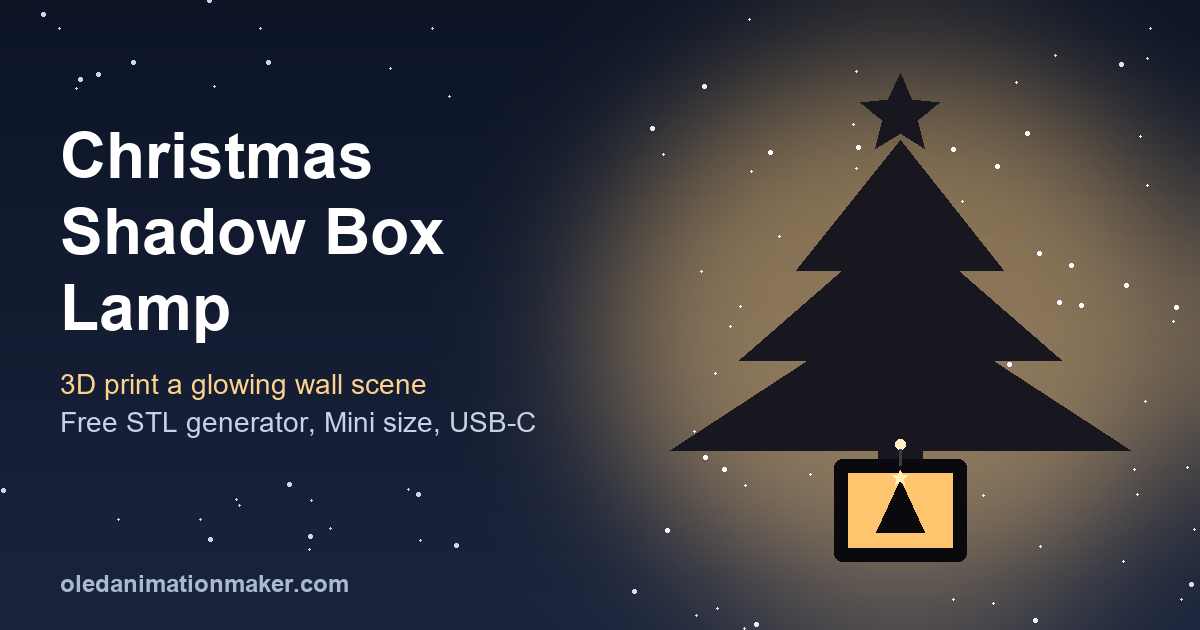
A Christmas shadow box lamp is a small 3D printed box with an LED inside. Its walls are cut like a stencil, so when the LED is on, a Christmas tree, a star, a reindeer or a nativity scene spreads across the wall around it. You can design one in your browser with our free Shadow Box Lamp Generator, download the STL and print it on any normal FDM printer.
Search for "Christmas shadow box" and almost every result is a layered paper design for a Cricut. This guide covers the 3D printed version. If you just unboxed a new printer in the Black Friday sales, it is a good first gift print. It is small and uses little filament.
Quick answer. Open the Shadow Box Lamp Generator, upload a bold Christmas silhouette (PNG, JPG, WEBP or SVG) and press Proceed. Pick Standard (110 x 140 mm) or Mini (55 x 70 mm), keep Press-fit walls, and lower Figure size until the wall preview shows no lost parts. Download the STL, print the walls in black PLA and add a 5 mm warm-white LED.
What a Christmas shadow box lamp is (and why 3D print it)
The lamp has a floor, thin cut walls (panels) and a tube in the middle with an LED on top. The floor hangs flat against your wall on a small screw. The LED shines back toward the wall over the panels. Solid parts block the light and cut parts let it through, so your picture appears on the wall many times larger than the box.
A lithophane is different: a photo glows through thin plastic. Compare them in shadow lamp vs lithophane: which to 3D print. For the general method, see how to make a shadow lamp from any picture.
What you need
| Item | Notes |
|---|---|
| 3D printer, 0.4 mm nozzle | Bambu Lab, Prusa, Creality and similar all work. |
| Black or dark opaque PLA or PETG | Light colors let the LED glow through the walls. |
| 5 mm warm-white LED | A few dollars a pack on Amazon US, Adafruit or SparkFun. |
| Power | A USB lead with a resistor, or the battery parts listed in the gift section. |
| A Christmas silhouette | Your own drawing, or art you have the right to use. |
| Small screw | For the hanging hole in the floor. |
Christmas shadow lamp designs that print well
The best images are bold, single-color shapes with thick parts and lots of empty space. Thin lines and tiny dots break or vanish. Upload any of these as your own silhouette or SVG:
- Christmas tree with a star. Reads clearly even at the Mini size.
- Snowflakes. Chunky flakes with wide arms. Lace-style flakes are too thin.
- Reindeer. One side view with simple, thick antlers.
- Santa's sleigh silhouette. Sleigh and reindeer over rooftops, joined into one shape.
- Nativity scene. Stable roof, star and figures as one connected shape.
- Snowman or winter village. Simple shapes that suit a kids' room or a mantel.
Use generic shapes and your own art, not famous movie or cartoon characters.
How to make a Christmas shadow box lamp, step by step
- Open the tool. Go to the Shadow Box Lamp Generator. A sample loads first.
- Upload your silhouette. Drop it on "1 · Shadow design". Non-SVG images open the converter.
- Clean it up. Tick Automatic threshold, or move Threshold (default 41). Smoothing softens jagged edges and Remove specks deletes tiny islands. Keep Shading on Solid. Press Proceed when the result shows one clean shape.
- Pick a box shape. Rectangle, Cylinder, Round, Hexagon, Octagon, Triangle or Diamond. Rectangle is the easy start.
- Pick a size. Standard or Mini (see below).
- Place the box. Box centre X and Y (default 50 percent) set where the box sits in your picture. The area behind the box is hidden, so put it on the trunk or plain sky.
- Watch the stats. Lower Figure size (40 to 110 percent) until "Figure lost above panel top" is near 0 percent.
- Choose wall fit and power. Keep "Press-fit, no glue". Choose "Wire out the back" or "Rechargeable battery (USB-C)".
- Download. Pick All in one, Separate parts or Customize. Downloads ask you to sign in with a free account.
Shadow box lamp STL sizes: Standard vs Mini
The two presets under Box size set the whole box at once. You can still fine-tune each slider afterward.
| Setting | Standard | Mini |
|---|---|---|
| Inner box size | 110 x 140 mm (about 4.3 x 5.5 in) | 55 x 70 mm (about 2.2 x 2.8 in) |
| Panel height | 48 mm default (adjustable 20 to 200 mm) | 30 mm |
| LED height | 62 mm default | 40 mm |
| Panel thickness | 1.6 mm | 1.2 mm (3 lines on a 0.4 mm nozzle) |
| Shadow on the wall | Much larger; type a size in Shadow width | About 20 to 25 cm (8 to 10 in) wide |
| Battery cell that fits | Up to about 1200 mAh (603450) | About 500 mAh (503035) |
The Mini box is about 60 x 75 x 33 mm (2.4 x 3 x 1.3 in) outside and weighs roughly 20 to 25 g in PLA. It makes a good stocking stuffer. Use bold, simple shapes at this size.
Want a bigger scene above a fireplace? Type a value in Shadow width or Shadow length (50 to 2,500 mm). The tool raises the LED and panels to reach it and shows the heights it used.
Christmas shadow lamp 3D print settings
These are reasonable general settings, not magic numbers. Always read the "Print and build notes" in the tool, and your slicer's profile for your filament, before you print.
| Setting | Suggestion | Why |
|---|---|---|
| Material | Black or dark PLA or PETG | Opaque walls block light fully |
| Layer height | 0.2 mm | Good balance of speed and clean edges |
| Infill | 15 to 20 percent | The thin panels are mostly perimeters anyway |
| Panel orientation | Flat on the bed, stencil face up | The face that was up is the inside of the box |
| Supports | Only where needed | Flat panels need none; the battery floor needs supports from the build plate |
| Tool resolution | Fine 0.15 mm for the final file | Draft 0.3 mm is for quick tests, Ultra 0.1 mm for very fine detail |
For temperatures, see the Prusa Knowledge Base page on PLA. Bambu Lab owners can read the Bambu Lab wiki on supports. The habits from lithophane print settings for Bambu Lab, Prusa and Ender apply too: a clean bed and a dry spool.
Assembly: press-fit walls, no glue
With Press-fit, the floor has a 5 mm deep slot. Each wall has its number cut into its bottom edge, and the same number is raised on the floor beside its slot.
- Print the parts, or the All in one file, which needs no assembly.
- Push each wall, number face inside, into the slot with the same number.
- Put the LED in the socket at the top of the tube and run the wire down through the floor.
- Hang the box on a small screw and switch off the room lights.
Walls loose? Reprint with "Press-fit, tight" (0.05 mm gap per side instead of 0.1 mm). Too tight? Use "Press-fit, loose" (0.2 mm). A Glue option is also available.
Make it a 3D printed Christmas gift
A shadow lamp is a personal gift that also does something. Here is how to make it gift-ready.
Go cordless with the USB-C battery tray
Set Power to "Rechargeable battery (USB-C)". The floor becomes an 11 mm deep tray with a press-fit lid. It holds a TP4056 USB-C charger board, a mini slide switch and a flat LiPo cell. The hint under the setting names the largest cell that fits. The tray needs a Rectangle, Hexagon or Octagon box.
Wire the LiPo to B+ and B- on the board. From OUT+ go through the switch and a 56 ohm resistor to the LED's long leg, and the short leg to OUT-. The LED draws about 12 to 15 mA, so 500 mAh lasts about a day and a half. Buy a board with battery protection, and read Adafruit's guide to Li-ion and LiPoly batteries.
Add a name or a second picture
The generator has no text box. It does have an optional "Box picture" on the floor inside the box, as a black silhouette or a black plate with the image cut out. For a name, save it in a thick font as a black-on-white image and upload it there. For a name tag, use our Text to STL generator, as in personalized Christmas ornaments.
Wrap-ready packing
Press-fit walls pull back out, so you can gift the parts flat with the numbers as instructions. Wrap the panels in tissue so thin struts do not snap. Christmas is Friday, December 25, so print by mid-December to leave time for a reprint.
No printer? The tool's "Order now" button shows an estimated price, then you send an order ZIP on WhatsApp to have it printed. Check price and delivery time before relying on it.
Troubleshooting
- Amber patches in the wall preview. Why: no panel covers that part, so light leaks. Fix: lower Figure size.
- The star on top is cut off. Why: it falls above the panel tops. Fix: lower Figure size or raise Panel max height.
- The LED glows through the walls. Why: light filament. Fix: reprint in black, or raise Panel thickness.
- Snowflake arms are missing. Why: pieces too small to print are dropped. Fix: use a chunkier design or a finer Resolution.
- Thin lines cross the shadow. Why: struts hold floating pieces. Fix: keep Strut width at 0.6 to 0.8 mm, or join the pieces.
- Parts do not fit the bed. Fix: pick your bed size in the download window and choose Separate parts.
Next steps
Try a heart design for Valentine's Day next. For a photo gift, how to make a lithophane lamp with an LED shows the glowing version.
Frequently asked questions
What is a Christmas shadow box lamp?
A small 3D printed box with cut-out walls and an LED on a tube. The walls block the light except where your design is cut, so a tree, star or nativity scene appears large on the wall around the box.
Can I make a nativity shadow box lamp?
Yes. Upload a nativity silhouette you drew or may use, with the stable, star and figures joined into one shape. Keep the figures large, since tiny separate pieces can disappear at the Mini size.
Where do I get a shadow box lamp STL for Christmas?
Make it in the free Shadow Box Lamp Generator. Upload a PNG, JPG, WEBP or SVG, check the wall preview, and download one fused STL, a ZIP of parts, or chosen parts. Downloads need a free account.
Can the Christmas shadow lamp run without a cord?
Yes. Set Power to Rechargeable battery (USB-C). The floor becomes a tray for a TP4056 charger board, a switch and a flat LiPo cell. That is about 500 mAh in the Mini box and up to about 1200 mAh in the Standard box.
What filament and settings should I use?
Black or dark opaque PLA or PETG. A 0.2 mm layer height and 15 to 20 percent infill suit most printers. Print the walls flat and check the tool's print notes for supports.
Is a 3D printed shadow lamp safe as a Christmas gift?
Yes, with a low-power LED, which stays cool. Never use an incandescent or halogen bulb or a candle, because heat can soften PLA.
Related guides
- How to make a shadow lamp from any picture
- Shadow lamp vs lithophane: which to 3D print
- Personalized Christmas ornaments: 3D print names and photos
- How to make a lithophane lamp with an LED
- Lithophane print settings for Bambu Lab, Prusa and Ender 3
Free tools: OLED Animation Maker for SSD1306 and SH1106 animations, Assemble Studio for name and logo animations, the Shadow Box Lamp Generator for 3D-printed shadow lamps, Text to STL for 3D-printed names and keychains, and 3MF to Web to show 3D prints on any website. New: the Image to Byte Array converter, the OLED Robot Eyes generator and the Lithophane Maker. See all tools.