Wireless WiFi OLED Arduino Guide — ESP8266 & ESP32 Live Preview (No USB)
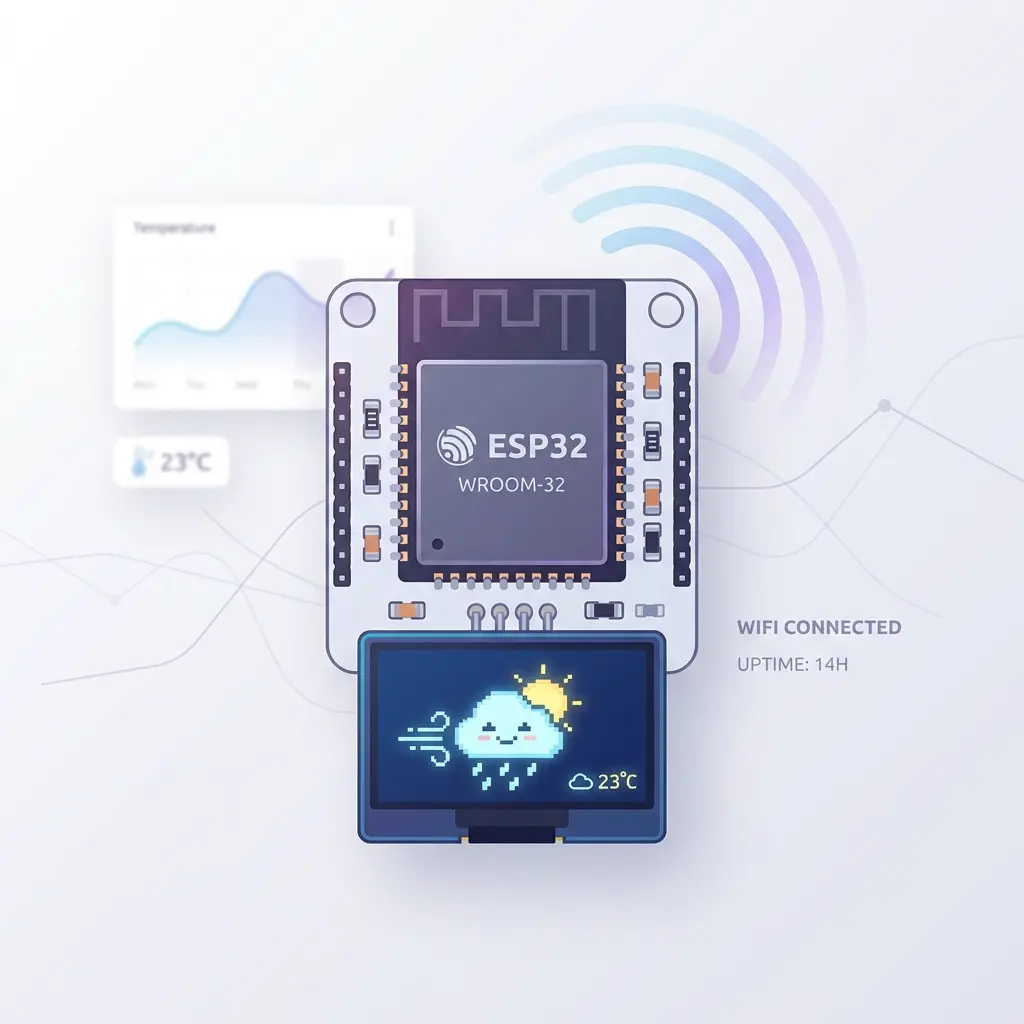
The first time I saw an OLED animation update wirelessly, I actually laughed out loud. My ESP8266 was sitting on a shelf across my workshop, no cable connected to my laptop, and yet every change I made in the browser appeared on that little screen instantly. It felt like I'd discovered some kind of cheat code. If you've been tethered to a USB cable for all your OLED projects, you're going to love this.
Here's what this guide covers: how to preview SSD1306 OLED animations wirelessly on ESP8266 (NodeMCU, Wemos D1) and ESP32 boards over your home WiFi. It's the same live preview experience as WebSerial over USB, except completely cable-free after a one-time sketch upload. You edit in the browser, and your physical OLED updates over the network.
The best part? Your ESP joins your existing home WiFi—it doesn't create some separate hotspot that cuts off your internet. Your laptop and phone stay connected normally, the website keeps working, and frames stream to your display in the background. I'll walk you through the wiring, the WiFi receiver sketch, finding your ESP's IP address, and connecting from the browser. Let's get your OLED untethered.
Why wireless OLED preview is a game-changer
Before we get into setup, let me explain why this matters and when you'll actually use it. Wireless preview isn't just a gimmick—it solves real problems I ran into constantly:
- Test in the final location. If your project will live inside an enclosure, mounted on a wall, or built into something, you can see how the animation looks in place without a cable snaking back to your computer.
- No cable clutter. When you're iterating on an animation for an hour, having a USB cable tugging at your board gets annoying fast. Wireless frees up your workspace.
- Demo without a laptop tether. Want to show someone your project? They can hold the device and walk around while you change animations from across the room.
- Multiple boards at once. Working on several displays? Preview to whichever one you want over the network.
Honestly, once I set this up, wireless became my default for any ESP-based project. The freedom of not being chained to a USB port is hard to overstate.
ESP8266 NodeMCU wireless OLED setup
The ESP8266 (in NodeMCU or Wemos D1 form) is the most popular and budget-friendly board for this. These cost just a few dollars, have built-in WiFi, and pack enough RAM to hold a 128×64 frame buffer. To get started, wire your SSD1306 display to D2 (SDA) and D1 (SCL), upload the WiFi receiver sketch from the app, and you're streaming frames from oledanimationmaker.com over your router. Full step-by-step is below.
ESP32 SSD1306 wireless OLED setup
Prefer the more powerful ESP32? The process is nearly identical. ESP32 uses GPIO 21 (SDA) and 22 (SCL) for I²C. Just select ESP32 DevKit in the tool, copy the WiFi receiver, add your router credentials, and connect using the IP shown on the display. The ESP32's extra memory and speed make it great if you're also doing other tasks alongside the display. See our complete ESP32 OLED animation guide for more on that board.
WiFi vs USB — which should you use?
| Method | Boards | Cable | Internet while editing |
|---|---|---|---|
| 📡 WiFi Connect | ESP8266, ESP32 | None after upload | ✅ Yes (home WiFi) |
| 🔌 USB Connect | Uno, Nano, ESP32, ESP8266… | USB required | ✅ Yes |
Important: The ESP connects to your existing router — not a separate “ESP-only” hotspot. That way oledanimationmaker.com keeps working and you do not lose internet on your phone or laptop.
What you need
- ESP8266 (NodeMCU / Wemos D1) or ESP32 DevKit
- 128×64 SSD1306 OLED (0.96″ typical)
- Home WiFi network (router) — SSID and password
- Arduino IDE with ESP board support + Adafruit SSD1306 library
- Google Chrome or Microsoft Edge on the same WiFi network
- oledanimationmaker.com — free, no install
Step 1: Wire the OLED
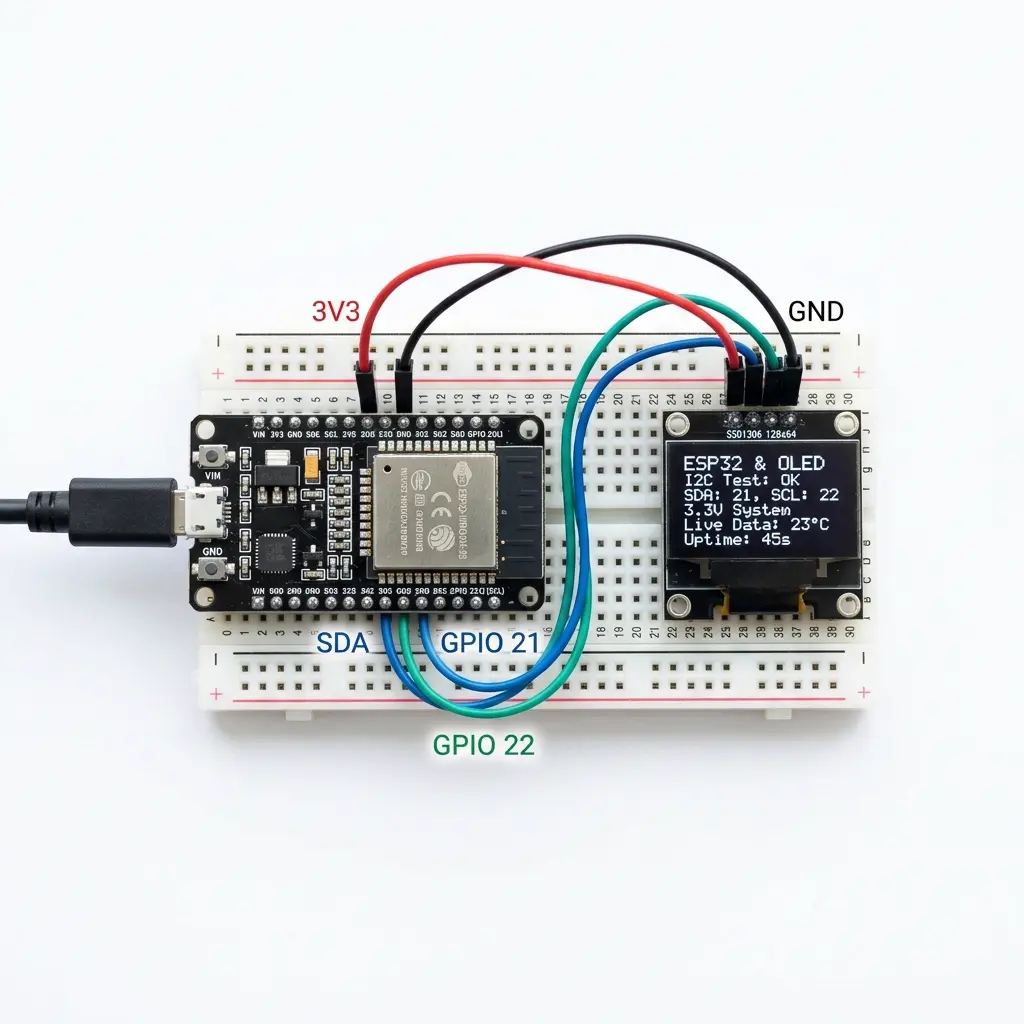
Connect I²C OLED to your ESP board (3.3V only):
- ESP8266 (NodeMCU): SDA → D2, SCL → D1, VCC → 3.3V, GND → GND
- ESP32: SDA → GPIO 21, SCL → GPIO 22, VCC → 3.3V, GND → GND
Step 2: Configure the animation maker
- Open oledanimationmaker.com
- Set Board → ESP8266 (NodeMCU) or ESP32 DevKit
- Set Display → 0.96″ 128×64 SSD1306
- Set Library → Adafruit SSD1306
- Set I²C address →
0x3C(or0x3Dif needed)
The WiFi receiver sketch is generated to match these settings — keep them the same in the app and on the board.
Step 3: Upload the WiFi receiver sketch
- Click 📡 WiFi in the app header
- Copy the WiFi receiver sketch
- Edit these two lines at the top of the sketch:
const char* WIFI_SSID = "YourHomeWiFi"; const char* WIFI_PASS = "your-wifi-password"; - Paste into Arduino IDE, select NodeMCU 1.0 or ESP32 Dev Module
- Upload once — you can unplug USB after this if you power the ESP another way
On boot, the OLED shows “Connecting WiFi”, then your ESP’s local IP address (e.g. 192.168.0.109). Write it down.
Step 4: Connect wirelessly in the browser
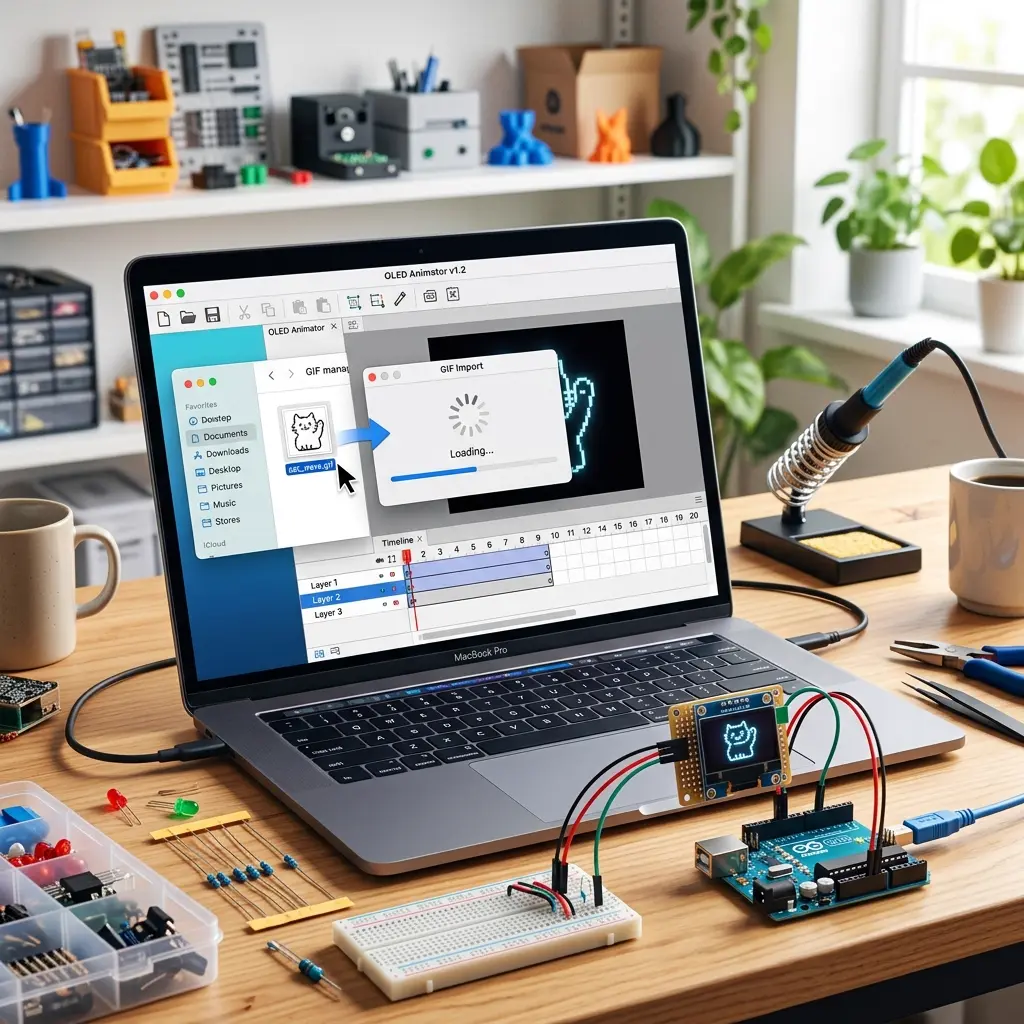
- Make sure your phone or PC is on the same home WiFi as the ESP
- Open oledanimationmaker.com (internet works normally)
- Click 📡 WiFi → enter the IP from the OLED (e.g.
192.168.0.109) - Click Connect WiFi — status should show WiFi Ready
- Pick any template, import a GIF, or draw — animation appears on the physical OLED
If Chrome asks to allow access to devices on your local network, click Allow. This is required for the browser to reach your ESP’s local IP from an HTTPS website.
How it works (under the hood)
The browser sends each OLED frame to http://YOUR_ESP_IP/frame using the same bitmap packet format as
USB WebSerial (0xAA 0xBB + 1024 bytes for 128×64). The ESP decodes the frame and calls
drawBitmap() on the SSD1306. When you change templates or play an animation, new frames stream
automatically — no “Get the Code” upload needed while tuning.
Troubleshooting wireless preview
- “Could not reach the ESP” — wrong IP, ESP offline, or phone on a different WiFi band/network than the ESP
- WiFi failed on OLED — double-check
WIFI_SSIDandWIFI_PASSin the sketch - POST /frame 400 error — re-copy the latest WiFi sketch from the app; display size in the tool must match the sketch (128×64)
- Blank OLED after connect — wrong I²C address (
0x3Cvs0x3D) or SSD1306 vs SH1106 mismatch - Arduino Uno — no built-in WiFi; use 🔌 USB Connect instead
- Compile error on ESP8266 — use the latest sketch from the app; install Adafruit SSD1306 + GFX libraries
When to use WiFi vs Get the Code
- WiFi / USB live preview — editing, trying templates, tuning FPS and pixels
- Get the Code — finished Arduino OLED animation project running standalone without a PC or browser nearby
Frequently asked questions
Do I lose internet when using wireless OLED preview?
No. The ESP joins your existing home WiFi router — it does not create a separate hotspot. Your phone or PC stays on the same network with full internet, and oledanimationmaker.com loads normally.
Which boards support wireless WiFi OLED preview?
ESP8266 (NodeMCU, Wemos D1 Mini, WitPro) and ESP32 DevKit. Arduino Uno has no WiFi — use USB WebSerial Connect instead.
Is wireless preview the same as USB Connect?
Yes. Templates, GIF import, drawing, and timeline playback all stream to the physical OLED the same way. USB uses WebSerial; wireless sends frames over your local network.
Can Arduino Uno show wireless OLED animations?
Not with this feature — Uno needs an external WiFi shield. Use USB Connect on Uno, or upgrade to ESP8266 / ESP32 for wireless ssd1306 wifi arduino preview.
What display size and driver are supported?
128×64 SSD1306 with Adafruit SSD1306 library and I2C 0x3C or 0x3D.
Match display settings in the app to your uploaded sketch.
The ESP joined WiFi but the browser cannot reach the IP on the OLED
Phone and ESP must be on the same LAN. Guest WiFi and “client isolation” on the router block device-to-device traffic even when both look connected. Use the main home network, allow local-network access if Chrome asks, and type the IP exactly as the OLED printed it.
The IP address changed after I unplugged the ESP
Home routers hand out DHCP addresses. After a power cycle the OLED may show a different address than the one you typed yesterday. Read the new IP from the display and enter that in the WiFi dialog. You do not re-flash unless the sketch itself failed to reconnect.
Why does the ESP stay on “Connecting WiFi”?
The sketch joins the router named in WIFI_SSID. A typo, a 5 GHz-only SSID, or the wrong password leaves it retrying. ESP8266 and most ESP32 boards use 2.4 GHz. Confirm the board is on 3.3 V, SDA/SCL are D2/D1 (ESP8266) or GPIO 21/22 (ESP32), then re-check the two credential lines and upload once.
Try wireless WiFi preview — free
Upload the WiFi receiver once, click 📡 WiFi Connect, and show any animation on your OLED without a USB cable.
Open OLED Animation Maker →Popular searches: wireless oled arduino · wifi oled esp8266 · esp32 oled wifi animation · nodemcu oled animation · wemos d1 oled wifi · oled live preview no usb · ssd1306 wifi arduino · esp8266 ssd1306 animation · 0.96 oled esp32 wifi · oled animation maker wireless · arduino oled without usb cable · i2c oled esp8266 live preview
Worked example: from upload to the first wireless frame
Use the WiFi receiver the site generates, and only edit the two credential lines. Put your real home network name and password in place of the placeholders already in that sketch:
const char* WIFI_SSID = "YourHomeWiFi";
const char* WIFI_PASS = "your-wifi-password";
Those strings must match the router the laptop is already using. The ESP does not invent a new network and it does not become a hotspot. It joins the same LAN so the browser can still load the site and then send frames to the board.
Wiring before that upload: ESP8266 NodeMCU SDA to D2, SCL to D1, both at 3.3 V. ESP32 SDA to GPIO 21, SCL to GPIO 22, also 3.3 V. In the tool, display is 128×64 SSD1306 and the I²C address is 0x3C unless your module is 0x3D. Select NodeMCU 1.0 or ESP32 Dev Module in the IDE, upload once, and leave the OLED attached.
On boot the glass should say it is connecting, then print a local address such as the 192.168.0.109 example from earlier on this page. Your router may assign a different number. Write down whatever the OLED actually shows. On the computer, stay on that same home WiFi, open the site in Chrome or Edge, click the WiFi control, paste that IP, and connect. If the browser asks to reach devices on the local network, allow it. Play any short template. The panel should follow the canvas without another upload.
Each 128×64 frame is 1024 bytes. The page already notes that the browser posts that bitmap to http://YOUR_ESP_IP/frame with the same 0xAA 0xBB header used by the USB path. You do not type those bytes yourself. If the tool and the sketch disagree on 128×64, the board answers with a 400 and the glass stays on the IP screen. Re-copy the receiver after any display-size change and upload it again.
When the animation looks right, use Get the Code for a sketch that plays with no browser and no router session. The WiFi receiver is the design-time path only.
Troubleshooting a board that joined the wrong place
- OLED never leaves “Connecting WiFi”. SSID or password does not match the router. Re-enter them, watch for a trailing space, and confirm the network is 2.4 GHz. ESP8266 cannot use a 5 GHz-only name.
- IP shows, browser times out. Laptop is on guest WiFi, a VPN, or a second router. Client isolation hides the ESP from other devices. Connect the computer to the same LAN the OLED joined, then try the IP again.
- Yesterday’s IP fails today. DHCP changed it. Read the address on the glass after reset. Press the EN or RST button if the OLED is stuck on an old address after you fixed the password.
- Connect succeeds, picture is blank or shifted. Address
0x3Cversus0x3D, or an SH1106 module running an SSD1306 receiver. Match the tool, re-copy the sketch, upload once. - Frames stutter, then stop. Weak WiFi at the shelf, or the USB cable was the only power and you unplugged it without another 3.3 V/5 V supply for the board. A brownout reboots the ESP; wait for a new IP and connect again.
- Uno is in the parts bin. It has no radio. Use USB Connect for Uno. Wireless preview in this article is ESP8266 and ESP32.